
Automatic Token Refunds on Failed Generations
When Coloring Magic Art refunds tokens automatically after a failed image generation — and when a retry is normal creative work that uses your balance.
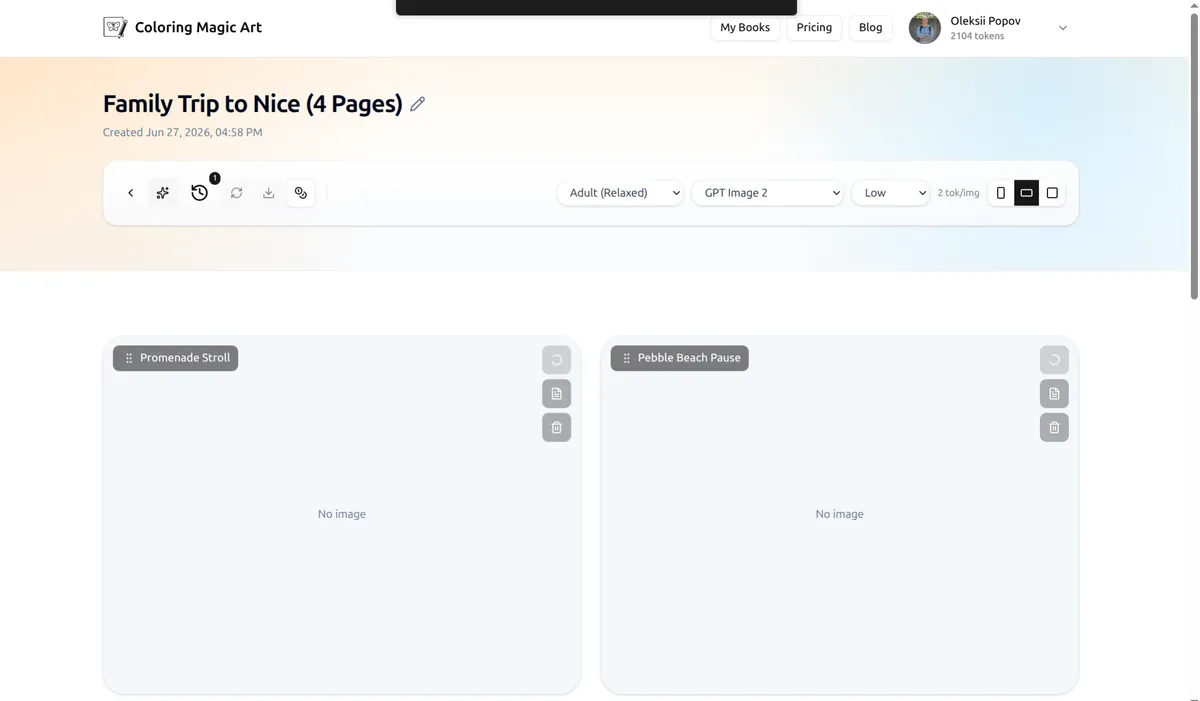
Coloring Magic Art deducts tokens up front when image generation starts. That keeps the process simple: you always know the cost before the model runs.
If something goes wrong on our side — a timeout, API error, or queue failure — those tokens come back automatically. You should not pay for a blank page caused by a technical problem.
This article explains how that works, what you will see in the editor, and how refunds show up in Account History. For what counts as a paid generation in the first place, see What Costs Tokens (and What Is Free).
Why we deduct tokens before the image finishes
Generation runs in the background. A page might take seconds or a little longer depending on model and load. Charging at the start means:
- your balance updates immediately in the editor
- each page has a clear, predictable cost
- failed technical jobs can be reversed with an automatic refund
You are not billed again when you download the PDF. Image generation is the only paid step.
When tokens are refunded automatically
Tokens are returned when generation fails for a technical reason, including examples like:
- the image job could not be queued after tokens were deducted
- the provider timed out after retries
- an unexpected API or infrastructure error stopped the job
- the worker exhausted retries and marked the page failed
In those cases the page shows a failed status in the editor, and the tokens for that attempt are credited back to your balance. Refunds also appear on the Tokens Refunded column for that book in Account History → Token Usage.
When tokens are not refunded
A successful generation that you simply do not like — wrong pose, too busy, not your child's taste — is normal creative iteration. Regenerating with an edited prompt uses tokens like any new run.
Tokens are also not refunded when a provider blocks a prompt for content policy reasons. The request was processed, but the model refused the scene. If you see a message asking you to rephrase the prompt, try simpler or different wording and generate again.
| Situation | Refund? |
|---|---|
| Page fails with a technical error | Yes — automatic |
| Page generates but you want changes | No — edit prompt and regenerate |
| Prompt blocked by content policy | No — rephrase and try again |
| You regenerate at higher quality for print | No — that is an intentional new generation |
We separate these cases so refunds stay tied to service failures, not to creative judgment calls.
What to do when a page fails
- Check the page status in the editor — failed pages are marked clearly.
- Confirm your balance — a technical refund should return tokens within a short time.
- Open Account History → Token Usage — compare Tokens Used and Tokens Refunded for that book.
- Try again — edit the prompt if needed, or regenerate once the issue was transient.
If a page keeps failing with a technical error after you rephrase, contact support with the book name and approximate time so we can investigate.
How this differs from “draft low, print high”
The step-by-step guide recommends generating at Low quality first, then regenerating keeper pages at High. Those regenerations are intentional and use tokens — they are not refunds.
Refunds only apply when the service failed to deliver an image you paid to attempt.
Transparency in Account History
Every coloring book project tracks:
- Tokens Used — total spent on generations for that book
- Tokens Refunded — total returned after technical failures
Deleted books remain in the usage list so past spend is still visible. Full details are in Track Token Usage in Account History.
Related guides
- Understanding Pricing and Tokens
- What Costs Tokens (and What Is Free)
- Track Token Usage in Account History
Ready to make your own?
Open the editor and adapt the prompt for your next coloring book page.
You might also like
More articles with overlapping topics.