Why Image Quality Matters for Complex Adult Mandala Coloring Pages
Same geometrical mandala prompt, three quality levels. See how Low, Medium, and High change line clarity, detail density, and printable results for adult coloring.
By Coloring Magic Art
•Updated May 29, 2026
If you color mandalas for relaxation, you have probably seen pages that look impressive on screen but feel frustrating on paper: tiny shapes blur together, lines wobble, and whole sections become a grey smudge.
That is especially true for geometrical mandalas—dense, symmetrical designs full of rings, polygons, stars, and background fill. The prompt can ask for “intricate” all day long, but the quality setting in the editor still decides how cleanly the model can draw that much detail.
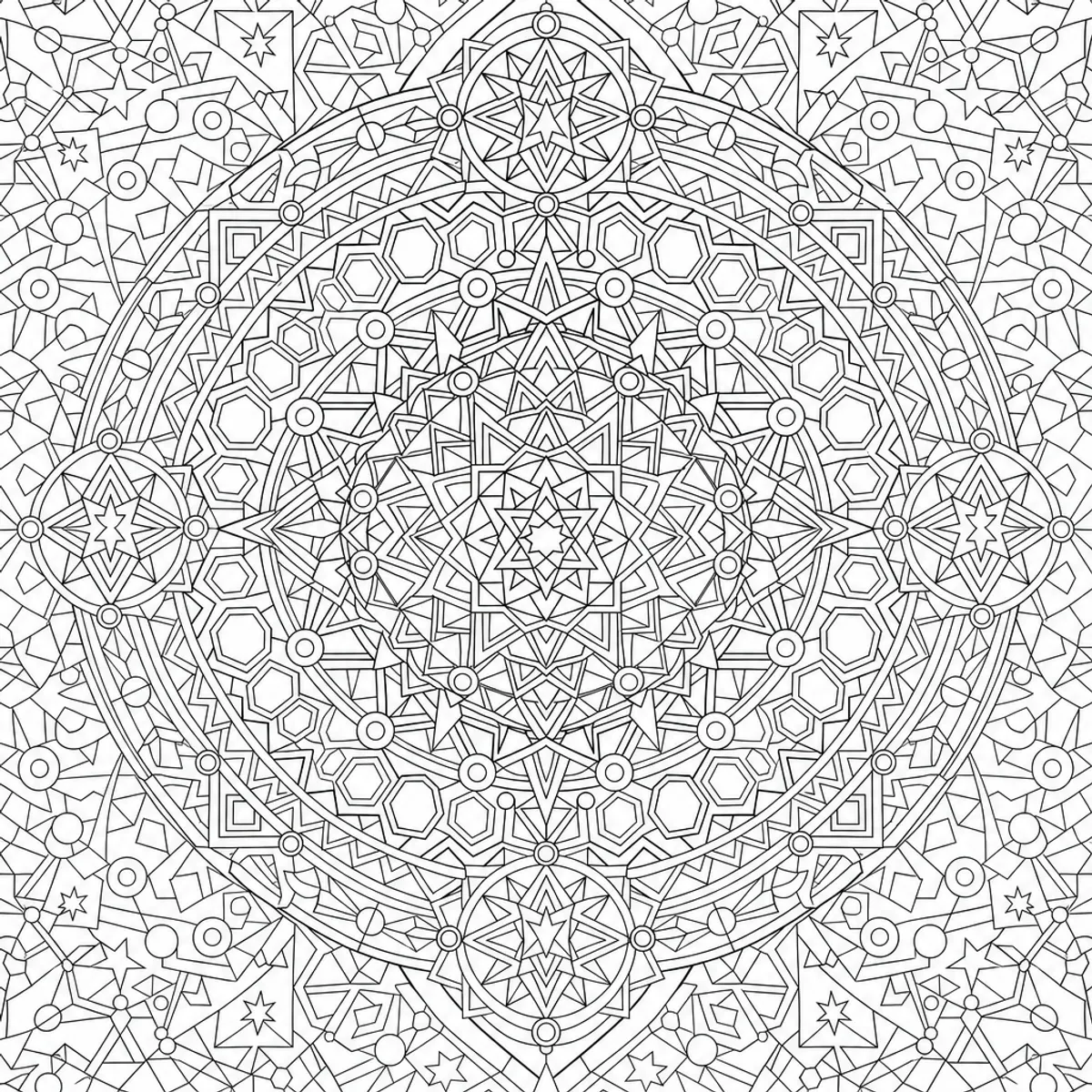
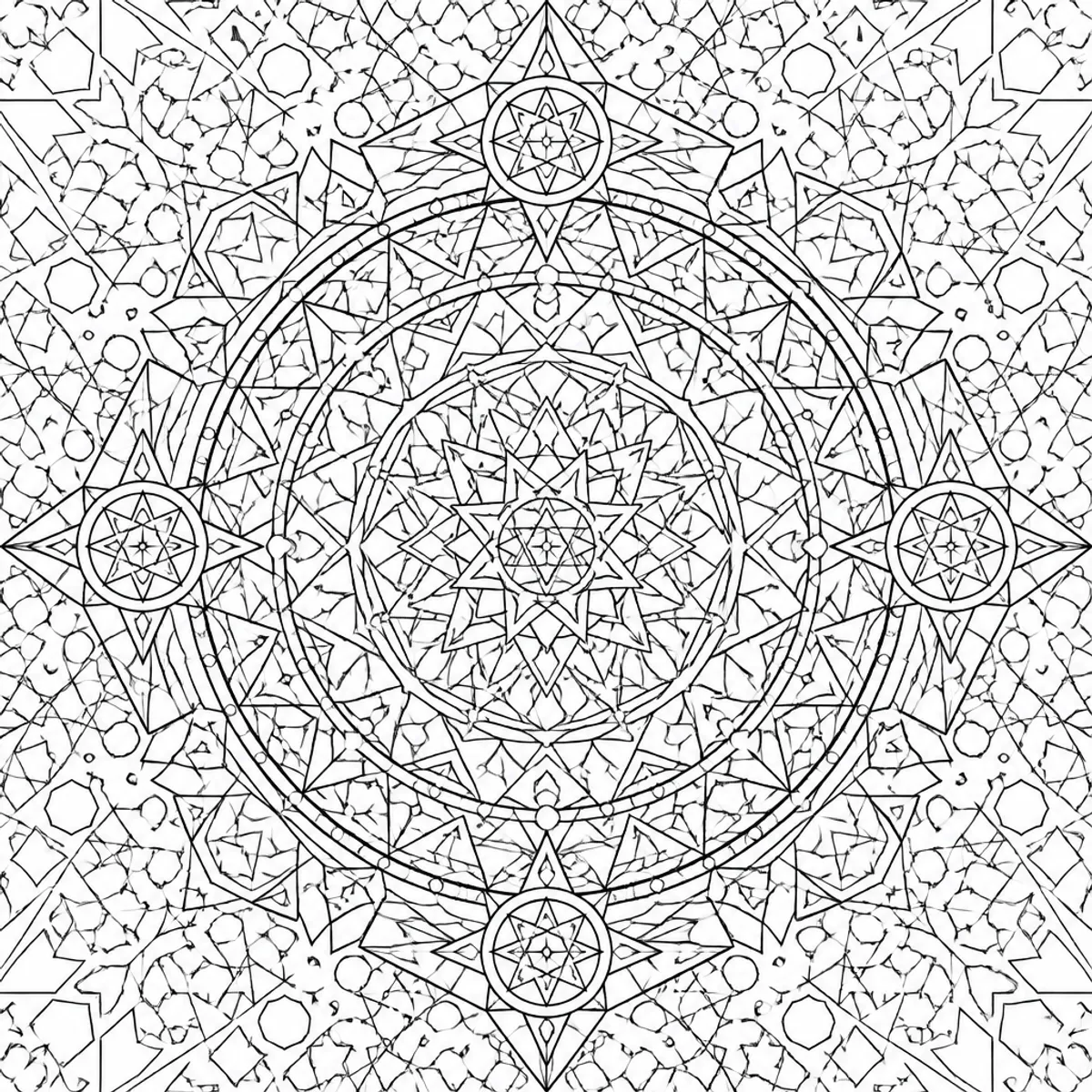
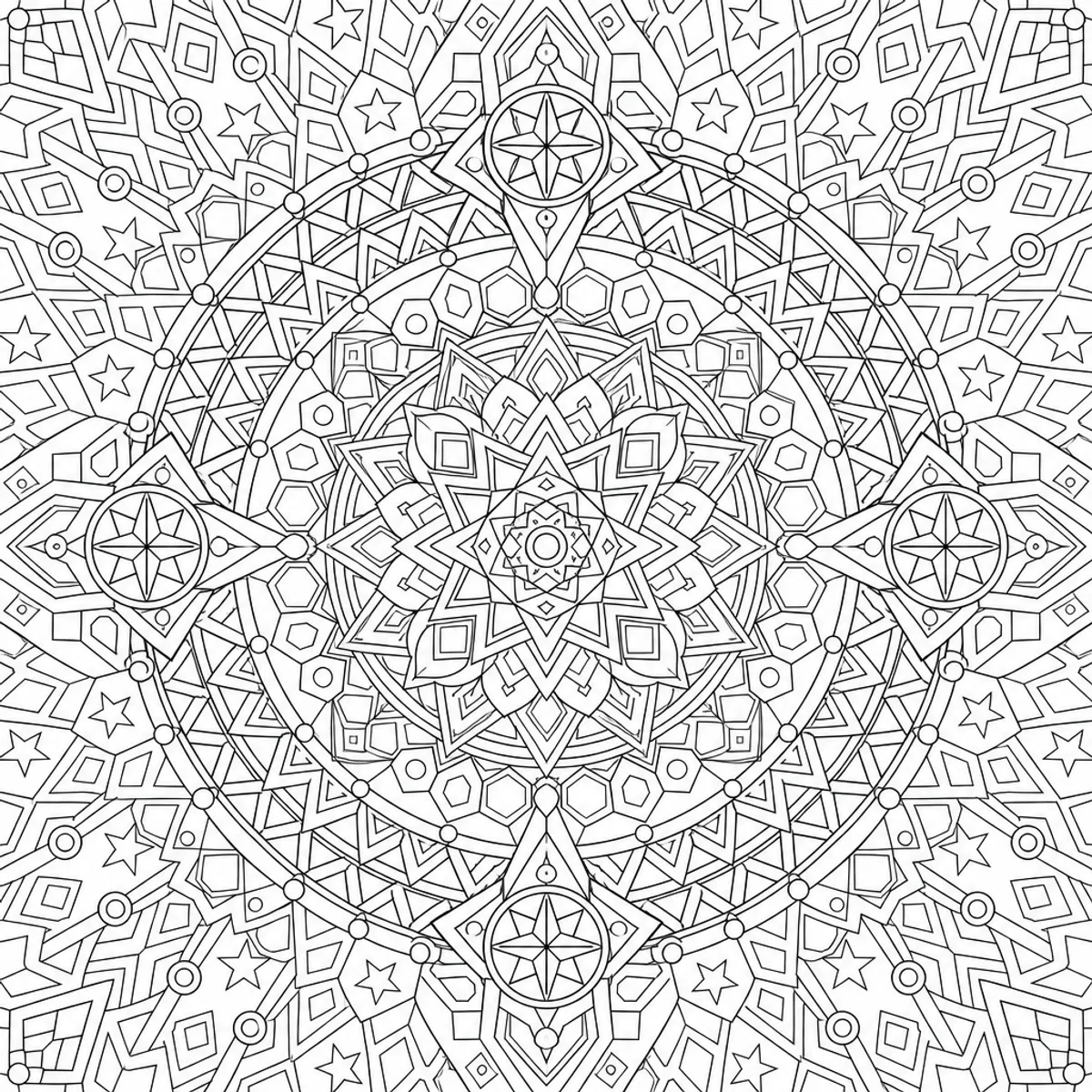
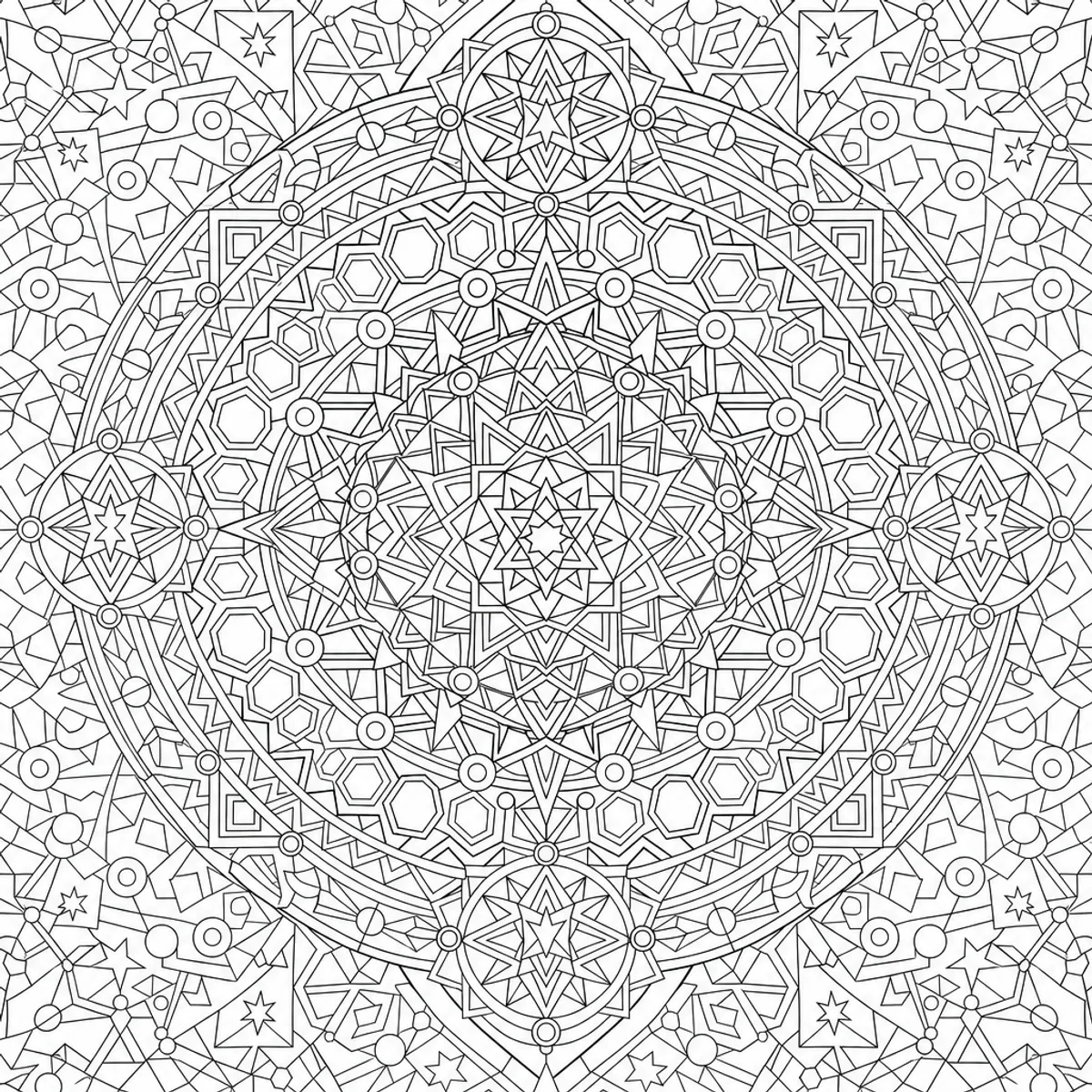
We ran a small real-world test in Coloring Magic Art: one long mandala prompt, Adult (Detailed) age range, square layout, and three generations at Low, Medium, and High quality. The three examples below come from that test.
Quality is not just “prettier.” For line-art coloring pages it mainly affects:
Line sharpness — Do edges stay crisp when you zoom in or print?
Symmetry and structure — Do concentric rings and repeating motifs stay readable?
How much fine detail survives — Dense prompts can collapse into noise at lower quality.
Token cost per page — Low (3 tokens), Medium (10), High (30).
Age range still sets the style of the book (for adults, relaxed vs. detailed). Quality sets how hard the generator works to honor a very demanding prompt.
Every page below used the same user prompt. Only the quality setting changed between runs.
Shared mandala prompt (adult-detailed)
A centered, perfectly symmetrical geometrical mandala filling most of the scene, built from multiple concentric rings of repeating angular shapes, interlocking polygons, radial spokes, and nested star patterns, with smaller secondary mandalas embedded at the cardinal points. The core features a tight rosette of overlapping triangles and diamonds, transitioning outward into alternating bands of tessellated hexagons, lattice-like arcs, and repeating chevrons, with occasional circular nodes and bead-like dots marking rhythm along the rings. Background is fully covered with a balanced field of faint, repeating geometric motifs—small stars, circles, and polygon fragments—radiating outward to the edges, maintaining symmetry and dense ornamental structure throughout.
That prompt is intentionally extreme: full background coverage, nested stars, tessellation, and “dense ornamental structure throughout.” It is exactly the kind of brief where quality selection matters.
High quality: concentric rings, bead-like nodes, and cardinal medallions stay sharp even with heavy ornament.
At High quality, the same prompt finally delivers what the text describes:
A clear central rosette and readable concentric rings
Secondary mandalas at the cardinal points that read as deliberate accents
Bead-like dots and chevron bands that repeat with rhythm instead of random noise
Background geometry that supports the main mandala instead of competing with it
This is the version you would pick for a mindfulness session, a gift book, or anything you plan to print at full page size. You are paying more tokens per image, but you are far less likely to regenerate five times and still be unhappy with line work.
Important: A complex prompt does not replace the right quality. If your brief already asks for full coverage and nested patterns, Low quality often gives you noise that looks detailed rather than detail you can color.
In Create Coloring Book with AI, on the Configure step, use Describe your book for your mandala idea (for example, a symmetrical geometrical mandala with dense rings and background fill).
Set Age to Adult (Detailed), Layout to Square, choose Pages (start with 1 if you only want to compare quality), and pick a Quality level (Low, Medium, or High).
On Prompts, set the book title to something like Geometrical mandala, paste the shared prompt below (or a shorter version), then continue to Generate.
In the editor, change Quality and use Regenerate on the same page to see how much the printable result depends on quality—not just wording.
Ready to try this idea?
Open the editor and adapt the prompt for your next coloring book page.
We use essential cookies for the site to work and optional analytics to improve the experience. You can accept all or reject non-essential cookies. Learn more about cookies